
 11:24
11:24
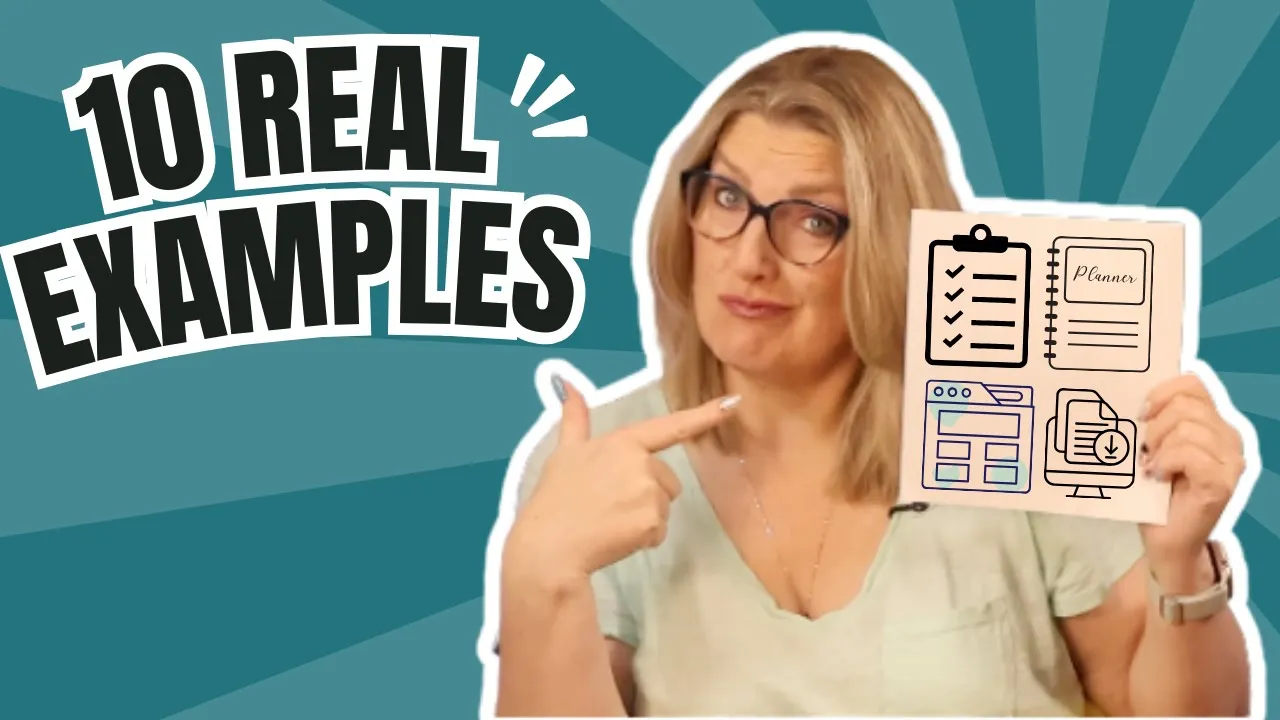
10 Real Digital Products People Actually Buy (for Beginners Over 40)
Success with Kristen Hess
Create simple digital products like checklists or guides based on your existing skills to generate income.
Executive Summary
In the video "10 Real Digital Products People Actually Buy (for Beginners Over 40)," Kristen outlines ten accessible digital product ideas tailored for individuals over 40, emphasizing simplicity and practicality. She explains that successful products often solve specific problems and can be created quickly, such as checklists, mini guides, planners, and templates. Kristen encourages viewers to leverage their existing skills and experiences to create their first digital product, suggesting that even busy professionals can successfully launch a product over a weekend.
Key Takeaways
- Identify a repetitive task at work or home and create a simple checklist to sell as a digital product.
- Compile your experiences into a mini how-to guide that addresses a specific problem others face.
- Design a small planner that helps others organize their tasks or projects effectively.
- Create templates for emails or documents you frequently use, and package them as a digital product for others to purchase.
- Develop a resource list of tools or apps you recommend, including affiliate links to earn additional income.
- Record a short tutorial on a specific skill or process you excel at, and offer it as a quick training for beginners.
Key Insights
- Digital products for beginners over 40 can be simple and effective, focusing on solving specific problems rather than creating complex courses, which can be intimidating.
- Checklists and mini guides are often overlooked but are highly sought after, as they provide quick solutions and shortcuts for busy individuals.
- Templates and swipe files save time and reduce the overwhelm of starting from scratch, making them appealing to those who struggle with blank pages.
- Resource lists and quick tutorials cater to the need for efficiency, allowing users to bypass lengthy research and achieve quick wins in their personal or professional lives.
Summary Points
- Digital products for beginners over 40 can be simple and effective, solving small problems.
- Examples include checklists, mini guides, planners, templates, and resource lists that cater to everyday needs.
- Creating digital products can be done quickly, often in a weekend, using existing knowledge and experiences.
- Focus on what people ask for help with to identify product ideas that resonate with your audience.
- Selling digital products provides a pathway to building a second income while maintaining a full-time job.
Detailed Summary
- The video targets individuals over 40 who are curious about digital products, emphasizing that they can create simple, effective products quickly, even while maintaining a full-time job.
- Kristen introduces herself as a guide for adults seeking to establish a secondary income through digital products and email marketing, encouraging viewers to engage by commenting on their challenges.
- The video dispels the myth that successful digital products must be complex, highlighting that the best sellers are straightforward solutions to common problems, often derived from everyday experiences.
- Checklists are presented as a prime example of a digital product, illustrating how professionals can monetize their existing processes by creating simple, actionable checklists for others in similar fields.
- Mini how-to guides are discussed as short, focused resources that provide valuable insights, helping others avoid common pitfalls, such as planning a wedding or organizing a classroom efficiently.
- Planners and templates are highlighted as popular digital products, with examples showing how individuals can create useful planning tools based on their own routines and experiences, making organization accessible to others.
- The video emphasizes the importance of simplicity in digital products, suggesting that items like habit trackers, editable worksheets, and resource lists can be easily created and are in high demand for their clarity and utility.
- Finally, Kristen encourages viewers to take action by identifying what they are already knowledgeable about and suggests that even a small product can lead to significant changes in their entrepreneurial journey.
What is the primary focus of the video?
According to the video, what type of digital product is considered a 'quiet bestseller'?
What is a mini how-to guide typically characterized by?
Why do people prefer smaller planners according to the video?
What type of product helps people avoid starting from a blank page?
Which of the following is an example of a resource list mentioned in the video?
What is the benefit of creating habit trackers and log books?
What does Kristen suggest as a simple filter for deciding what digital product to create?
Why do people buy email sequences and templates?
What is the main takeaway Kristen wants viewers to have regarding creating digital products?
What are digital products that people over 40 can create?
Digital products for those over 40 can include checklists, mini how-to guides, planners, templates, swipe files, habit trackers, editable worksheets, email sequences, resource lists, and tutorials.
Why do checklists sell well as digital products?
Checklists are popular because they provide quick, structured solutions to common problems, allowing users to follow steps easily without needing extensive knowledge.
What is a mini how-to guide?
A mini how-to guide is a short document, typically 5-10 pages, that focuses on a specific task or goal, providing clear, actionable steps.
How can planners be beneficial as digital products?
Planners help users organize their tasks and schedules, providing structure and clarity. Smaller planners are often preferred for their manageability and ease of use.
What is the purpose of templates in digital products?
Templates offer users a starting point to create professional-looking documents without starting from scratch, saving time and reducing overwhelm.
What are swipe files and how are they used?
Swipe files are collections of prompts or ideas that help users overcome writer's block or generate content quickly, such as subject lines or conversation starters.
What types of products can habit trackers include?
Habit trackers can include logs for health metrics like sleep or hydration, financial tracking, reading logs, or any activity that requires consistency and monitoring.
What are editable worksheets and their benefits?
Editable worksheets are customizable documents that help users clarify their goals or processes, making it easier to track progress and feel productive.
How can email sequences be transformed into digital products?
Email sequences can be compiled into templates that guide users in crafting their own professional emails, helping them communicate effectively without feeling overwhelmed.
What is a resource list and why is it valuable?
A resource list is a curated collection of tools or supplies that helps users save time on research. It often includes affiliate links for potential earnings.
What defines a tutorial in the context of digital products?
A tutorial is a short, focused training session that helps users achieve a specific goal quickly, such as organizing files or budgeting effectively.
Why is it important to choose a digital product idea that feels light to create?
Choosing a product idea that feels manageable encourages action and completion, helping creators gain confidence and momentum towards their first sale.
What should you consider when deciding on a digital product to create?
Consider what people frequently ask you for help with, what processes you already have in place, and what you can realistically complete within a short timeframe.
How can creating digital products lead to a second income?
By leveraging skills and knowledge to create simple, sellable digital products, individuals can generate passive income while maintaining their full-time jobs.
Study Notes
In this video, Kristen introduces the concept of digital products, specifically targeting individuals over 40 who may feel overwhelmed by the idea. She emphasizes that digital products do not have to be complex or time-consuming to create. Instead, they can be simple solutions that address everyday problems. Kristen encourages viewers to subscribe for weekly guidance on building a second income through digital products and email marketing. She also invites viewers to share their challenges in the comments, indicating her commitment to addressing their needs in future videos.
Kristen addresses the common misconception that digital products are complicated, often involving extensive online courses or intricate tools. Instead, she asserts that the most successful digital products are straightforward and focus on solving specific, small problems. This section aims to alleviate fears and encourage viewers by highlighting that they can leverage their existing skills and knowledge to create valuable products without extensive learning curves.
The first digital product category discussed is checklists, which Kristen describes as highly effective and easy to create. She provides examples from various fields, such as nursing and home organization, illustrating how checklists can simplify tasks and provide quick solutions. By sharing her own experience with a troubleshooting checklist, she demonstrates how viewers can identify similar opportunities in their own work or home life, making checklists a practical starting point for creating digital products.
Kristen introduces mini how-to guides as another viable digital product option. These guides typically range from five to ten pages and focus on a single clear goal. She shares examples, such as a budget wedding planning guide, to illustrate how personal experiences can be transformed into valuable resources for others. This section emphasizes the importance of removing guesswork for potential buyers, making mini guides appealing for those seeking straightforward solutions.
In this segment, Kristen discusses planners and templates as effective digital products. She notes that smaller, manageable planners are often preferred by consumers. By providing examples like a gardening planner or a caregiving planner, she shows how these products help users stay organized. Additionally, she highlights the value of templates, explaining how they save time and effort for users who want professional-looking results without starting from scratch. This section reinforces the idea that structure and ease of use are key selling points.
Kristen discusses the concept of swipe files and prompts, which serve as helpful resources for individuals who struggle with starting from a blank page. She provides examples of potential products, such as subject line swipe files and journaling prompts, emphasizing their time-saving benefits. This section is particularly relevant for those in creative fields or roles requiring communication, as it highlights how these tools can facilitate productivity and inspire creativity.
This section focuses on habit trackers and log books, which Kristen describes as simple digital products that can be created quickly. She explains how these tools help individuals maintain consistency in various areas, such as health and personal finance. By providing relatable examples, she illustrates the demand for such products, emphasizing that they can be developed in less than an hour and are highly sought after by consumers looking for manageable solutions to their tracking needs.
Kristen introduces editable worksheets as another category of digital products that can help users achieve clarity and progress. She provides examples of different types of worksheets, such as goal-setting and planning worksheets, that can be created based on personal systems. This section highlights the value of worksheets in helping users organize their thoughts and tasks, making them an appealing option for those looking to create supportive tools for others.
In this segment, Kristen discusses the often-overlooked category of resource lists, which can provide curated information on tools and supplies for beginners in various fields. She shares examples, such as a craft fair starter kit, to illustrate how these lists can save time and effort for others. This section emphasizes the potential for affiliate marketing through resource lists, offering viewers a dual opportunity to provide value while generating income.
Kristen concludes the video by encouraging viewers to take action on their ideas for digital products. She provides a simple filter for deciding which product to create first, emphasizing the importance of choosing something manageable that aligns with their existing knowledge and skills. By reinforcing that the first sale can be a transformative experience, she motivates viewers to start their journey in creating digital products. Additionally, she teases the next video topic on selecting a profitable niche, encouraging continued engagement.
Key Terms & Definitions
Transcript
If you're over 40 and you keep hearing people talk about digital products, but no one's telling you what that actually looks like in real life, this is your video. I'm going to walk you through 10 real digital products that people pay for every single day. And the best part is that you can create your first one as soon as this weekend. Hi, I'm Kristen and I help quietly ambitious adults build a simple second income system with digital products and email marketing. If you want step-by-step help creating something you can actually sell while still working a full-time job, go ahead and subscribe because that is what I teach here every single week. And tell me down in the comments where are you stuck right now? Because your questions turn into my videos and I reply to every single comment. All right, let's get into this. Most people over 40 hear digital products and immediately imagine these like complicated online courses or hours of video or tools that take weeks just to learn. But that is not what sells the best. The bestselling digital products are simple. They solve one small problem and they are usually based on the things that you already do at work or at home without even thinking about it. So today I want to walk you through 10 real examples and I bet at least one of them will make you say, "Oh, I could totally do that." So let's start with the first category, checklists. Checklists are the quiet bestsellers. So if you're in any job where you follow the same steps each week, you already have the bones of a digital product. For example, in my corporate job, I have a troubleshooting checklist that we reference when we see issues arise. It has every number that we need to pull. It has every benchmark to measure against and the order that everything has to be done in. People from other departments would message me and say, "Can you send me your version?" That is a real product. Now, picture this in your world. Maybe you work in nursing and you know the steps to prep a room before a procedure. A brand new nurse would love to have a clean onepage room prep checklist. Or say you organize your kitchen with a Sunday reset routine. You could create a weekend kitchen reset checklist for busy families. These products sell because people want a shortcut and a checklist gives it to them in the fastest way possible. All right, next up we have mini how-to guides. These are short guides, usually like five to 10 pages with one clear goal. Think of them as the cheat sheets you wish you had the first time you tried something. So, for example, maybe you planned a backyard wedding for one of your kids and you learned all the things that you wouldn't think about until you're in the thick of it, right? You could turn that experience into budget backyard wedding plan with cost ranges, a sample timeline, and tips that you learned the hard way. Or say you're a teacher and you have a system for organizing classroom centers. so the kids actually rotate efficiently. That is a five-page guide that people would happily buy instead of figuring it out on their own. Many guides work because they remove the guesswork and they do not overwhelm the buyer. Okay, so how about planners? You don't need a giant planner. In fact, most people prefer smaller planners that feel doable. So, for example, maybe you're a gardener and you know how to plan a quick weekend fall garden refresh. That is a simple 10-page planner with sections for supplies, a planning checklist, uh, soil notes, and a spot for before and after pictures. Or maybe you're caring for aging parents and you keep track of their appointments and their medications and any weekly tasks that you have to keep track of. That is a caregiving planner that you could create. this weekend and it would help someone else stay organized. People buy planners because they want structure and you already have more structure in your routines than you even realize. All right. Then we have templates. So if you're using a template at work, someone else is going to need it, too. For example, if you work in an office and you created a weekly staff update template that keeps everyone aligned, that can be turned into a weekly team update template pack. Or maybe you run a small Etsy shop and you've created your own customer message templates for frequently asked questions, uh, shipping updates, and reviews. Those templates are a digital product. Templates sell because starting from scratch is the hardest part and people want a shortcut to something that looks clean and professional right away without the learning curve. Then we have swipe files and prompts. So if you ask anyone who knows me personally, they will tell you that I hate starting from a blank page. So these types of products are lifesavers for me. So, if you've ever sat down to write something and wish someone would just tell me what to say, then you'll love them, too. You could create subject line swipe files, reals hook prompts, reflection prompts, journaling prompts, or even conversation starters for new managers who have to lead one-on-one meetings for the first time. Here's a personal example. When I started creating YouTube content, I built myself a bank of hook ideas to keep myself from starting from zero every Saturday morning. That document could easily be packaged up as 50 hooks for beginner YouTubers. These sell because they save time and they give people momentum. All right, maybe um habit trackers and log books are your sweet spot. These are incredibly easy to make and people return to them over and over again. So, say that you are uh on a health journey and you track symptoms or sleep or hydration in a simple chart. Someone else is struggling with the same thing and would love a done for them printable log book. Or maybe you track spending, your reading, or your steps in a monthly grid. These trackers help people stay consistent in a way that feels simple and manageable. They take less than an hour to build and they sell extremely well because consistency is something that everyone struggles with. All right. Then we have editable worksheets. Think goal worksheets, monthly reset worksheets, decisionmaking worksheets, or planning worksheets. Here's a great example. If you plan your weekends using a three task system, you could create a weekend priority worksheet designed for people who want to feel productive without overloading themselves. Or if you do a Sunday reflection with questions like, "What worked this week, what didn't, and what needs attention next week?" That's a worksheet pack that you can finish in one sitting. People love worksheets because they create clarity, and clarity feels like progress. Let's take a look at simple email sequences. If you have written emails in your job, you can turn them into paid swipe files. So, for example, if you manage projects, you must have sent a 100 versions of status update emails. You could take those and compile them into a simple project update email pack for new managers who are terrified to sound unprofessional. Or say you run a small business and you have a welcome sequence that effectively introduces your brand. You could templatize that and turn it into a beginner welcome sequence template. These files sell because email feels overwhelming to people who aren't experienced with it. And people love having a starting point that feels human and not robotic. This next one is a sleeper. All right, resourceless. This category is so underrated. You could create a curated list of tools, apps, supplies, or equipment for any beginner. For example, if you do craft fairs, you know exactly what you wish you have packed your first time. A craft fair starter kit list would save someone else hours of trial and error. Or if you organize your home using a handful of inexpensive tools that you bought from Amazon, you could create a home organization starter kit with links and tips. When I started this YouTube channel, I downloaded a resource list of beginner tech needs, right? Lights, microphones, how to film using my iPhone, and it saved me so much research. And bonus, if you use affiliate links in your resource list, you actually get paid twice. So people buy resource lists because they want to skip the research phase and trust someone who has already figured it out. So let's talk about tutorials or quick trainings. So we're not talking about big courses here. These are short, simple, helpful trainings that get someone from point A to point B in one sitting. So, for example, you could record a 15minute tutorial on how to clean up a cluttered desktop or how to set up a basic budgeting spreadsheet or how to organize photos on your phone so they stop piling up. These sell because the problem is small and specific and the solution is fast. If one of these ideas made you think, "Hey, I could actually do that." That is your sign. The hardest part is figuring out how to turn your idea into something that's finished and ready to sell. And that is exactly what my shortcut to selling your first digital product is designed to help you do. It walks you through choosing the right idea, creating it quickly using a pre-esigned template and listing it for sale without the overwhelm. You can absolutely do this over a single weekend. I'll link it for you down below. All right. If you cannot decide where to start, use this simple filter. What do people already ask you for help with? What processes or checklists do you already use? Uh what feels light enough to finish this weekend or over the next week? Whichever idea checks those boxes for you is the one you should start with. You are not choosing the only product that you will ever create here. you're choosing the one that gets you moving because once you see your first sale come in, everything changes for you. If you found this helpful, please tap like because it helps YouTube know you want more content just like this. And be sure to subscribe because next week I am sharing how to pick a profitable niche for your digital product, even if you feel like everything's already taken. All right, here's to your success. If this saved you time or gave you clarity, please hit like and subscribe. I've got a lot more videos coming and they're all made with you in mind.
Title Analysis
The title is straightforward and informative, lacking sensationalism or misleading elements. It does not use ALL CAPS, excessive punctuation, or exaggeration. The phrase 'for Beginners Over 40' is a targeted demographic but does not create a curiosity gap or employ clickbait tactics. Overall, it accurately reflects the content's focus on digital products for a specific audience.
The title accurately describes the video content, which presents 10 real digital products that can be created and sold, specifically targeting beginners over 40. While the title could imply a broader range of products, the content aligns closely with the promise of providing practical examples and guidance for the intended audience.
Content Efficiency
The video presents a high level of unique and valuable information, particularly in the examples of digital products that can be created. While there is some repetition in the encouragement to create products and the structure of the examples, the majority of the content is focused on actionable insights. The unique information ratio is strong, with practical examples that resonate with the target audience of adults over 40. However, some sections could be streamlined to enhance clarity.
The pacing of the video is generally good, but there are moments where the speaker elaborates on points that could be made more succinctly. While the content is relevant and informative, certain tangents and reiterations could be trimmed to improve overall time efficiency. The video maintains a moderate level of engagement, but a tighter delivery would enhance its effectiveness.
Improvement Suggestions
To improve information density, consider reducing repetitive phrases and condensing similar examples into a single point. Streamlining the introduction and conclusion could also save time without sacrificing key messages. Additionally, using bullet points or visual aids could help convey information more quickly, allowing viewers to grasp concepts faster and maintain engagement throughout.
Content Level & Clarity
The content is designed for beginners, particularly those over 40 who may not have prior experience with digital products. The examples provided are relatable and practical, making it accessible for individuals with basic familiarity with digital tools. The score of 3 reflects that while no advanced knowledge is needed, some understanding of digital products and online selling would be beneficial.
The teaching clarity is high, with a score of 9. The speaker presents information in a well-structured manner, using clear examples and a logical progression through different types of digital products. The flow is coherent, and the use of relatable scenarios enhances understanding. The speaker also encourages interaction, which adds to the clarity and engagement of the content.
Prerequisites
Basic familiarity with digital tools and an interest in creating or selling digital products.
Suggestions to Improve Clarity
To further enhance clarity, the speaker could include visual aids or on-screen text to reinforce key points and examples. Additionally, summarizing each product type at the end of the discussion could help reinforce learning. Providing links to resources or templates mentioned could also assist viewers in taking actionable steps.
Educational Value
The video provides strong educational content by introducing 10 practical digital product ideas tailored for individuals over 40, a demographic often overlooked in digital entrepreneurship discussions. The teaching methodology is effective, as it breaks down complex concepts into simple, actionable steps, making it accessible for beginners. Each product idea is accompanied by relatable examples, enhancing understanding and retention. The content encourages viewers to leverage their existing skills and experiences, promoting practical application. The focus on creating simple products that solve specific problems fosters a sense of empowerment, motivating viewers to take immediate action. Overall, the video balances education with engagement, making it a valuable resource for those looking to enter the digital product space.
Target Audience
Content Type Analysis
Content Type
Format Improvement Suggestions
- Add visual aids to illustrate examples of digital products
- Incorporate on-screen text for key points and tips
- Include a Q&A segment to address common viewer questions
- Provide downloadable resources or templates as supplementary materials
- Use engaging graphics or animations to maintain viewer interest
Language & Readability
Original Language
EnglishVery easy to read and understand. Simple language and clear explanations.
Content Longevity
Timeless Factors
- Universal themes: The concept of creating digital products is applicable across various industries and demographics.
- Fundamental principles: The strategies for creating simple digital products that solve specific problems are timeless.
- Target audience: The focus on helping individuals over 40 is a demographic that is consistently seeking new income opportunities.
- Simplicity: The emphasis on simple, actionable products ensures that the content remains relevant as complexity in digital products can deter beginners.
- Problem-solving: The content addresses common challenges faced by individuals looking to generate additional income, which is a perpetual concern.
Occasional updates recommended to maintain relevance.
Update Suggestions
- Add context about current trends in digital product creation and marketing.
- Update examples of successful digital products to reflect recent market changes.
- Include references to new tools or platforms that facilitate the creation and sale of digital products.
- Incorporate feedback or success stories from viewers to enhance relatability and credibility.
- Adjust any statistics or data points to ensure they reflect the current economic climate and consumer behavior.